

The Epic Workflow
Industry leading technology
No fancy interface, just better images.
- Key Features
- Oh, you want more?
From Card to Client
Auto-detect memory cards or pick a folder to start. Lightning-fast previews keep you moving.
-
01.Real-time Culling Feedback
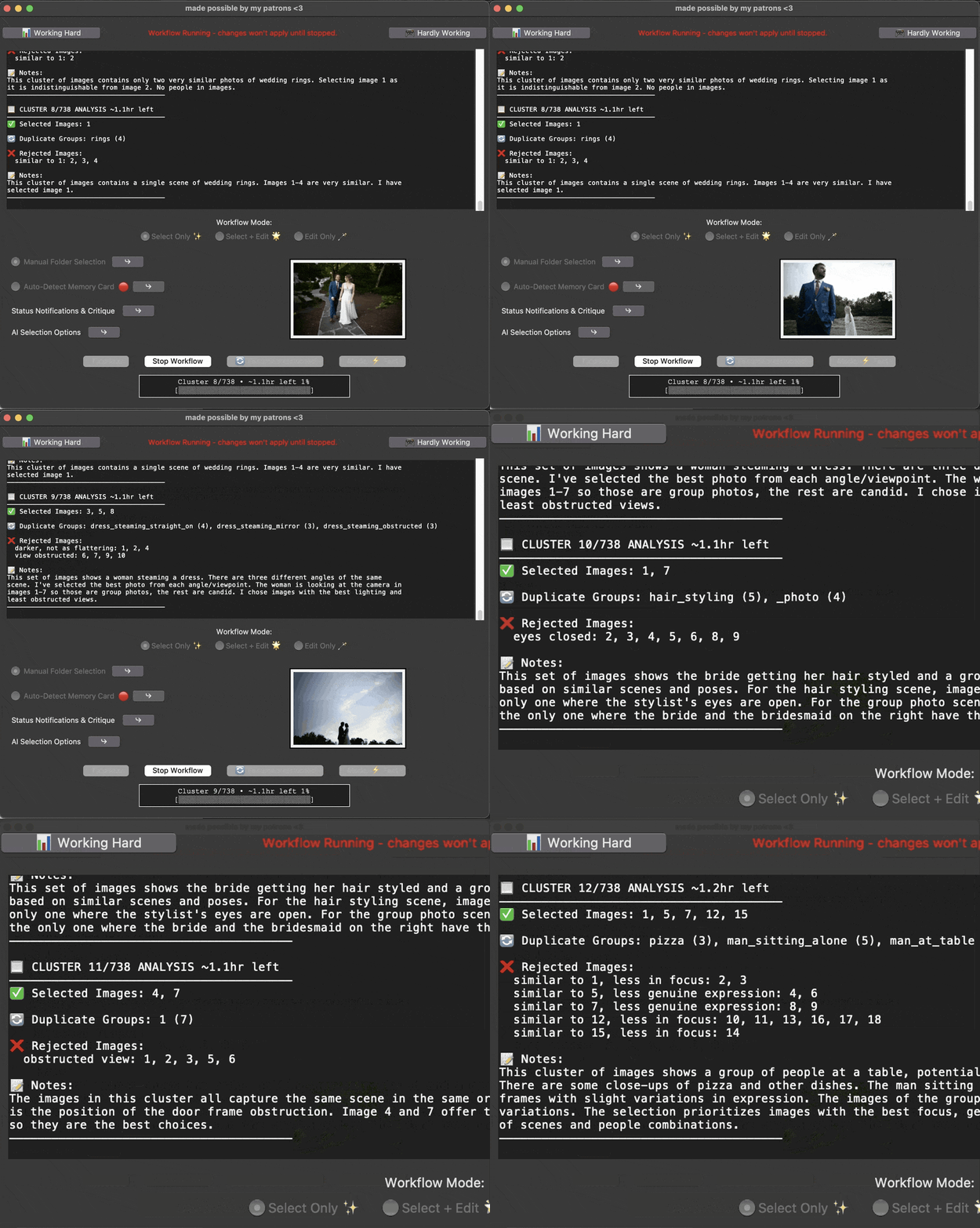
-
02.Supercull to a Target Number
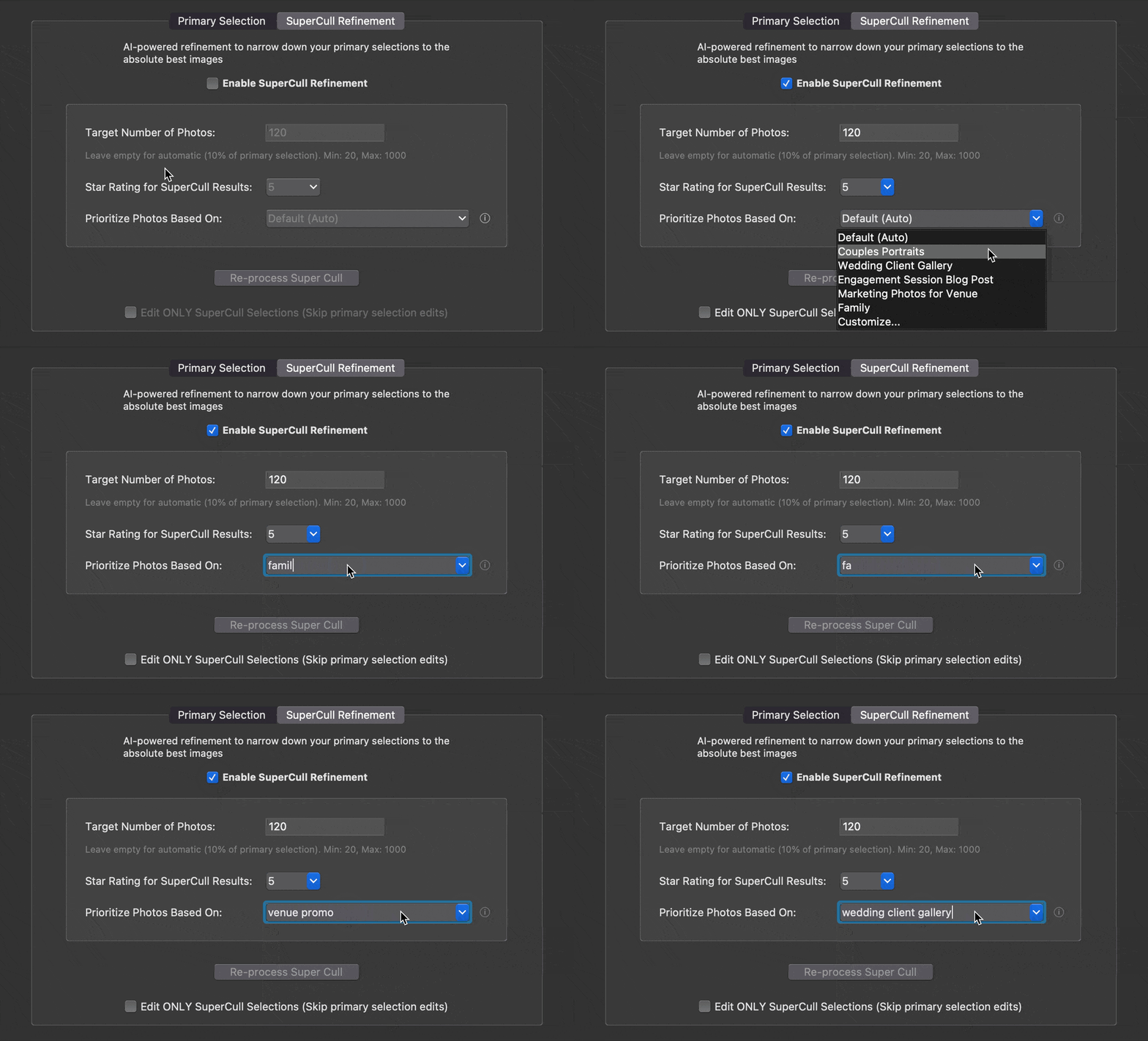
-
03.Space To Face

-
04.Process Online or Offline
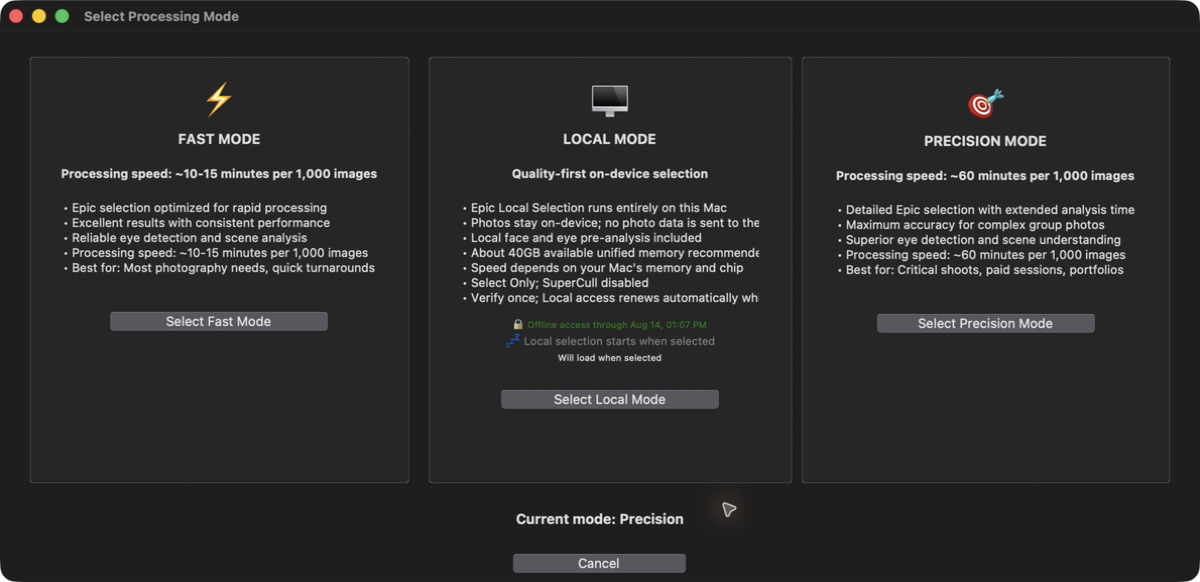

Get more than culling
Private processing, controller shortcuts, card diagnostics, and live workflow updates — built in.
-
01.Controller to Shortcuts
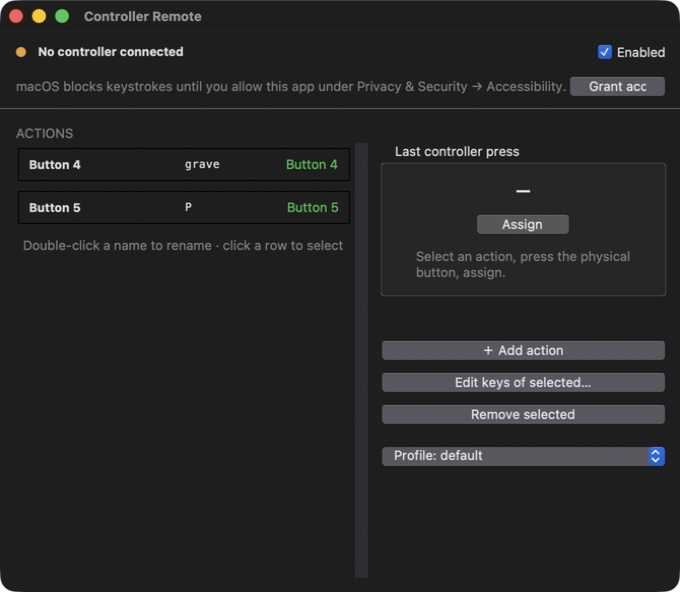
-
02.Zero Data Collection

-
03.Memory Card Health Checker

-
04.Real-Time Notifications

Millions of images culled to date
Pre-release testing and feedback by working professionals
Stop Letting One-Size-Fits-All Culling Decide Your Work
Epic-trained selection is built around real photographer decisions, delivering industry-leading accuracy without wasted clicks.
-
Fast Mode
Culls 1,500 images
in 10 minsLightning-fast Epic-trained
scene detectionSelects at least 1 image
per sequence -
Precision Mode
Deep culling: ~60 mins per 1,000 images
Excels at group dynamics and expression matching
Best for: Critical shoots, paid sessions, portfolios
-
Local Mode
Photos stay on this Mac
Works offline after setup
On-device face, eye & scene analysis
Apple silicon · Select Only · 40 GB unified memory recommended
selections are accurate.
very accurate.
94%
Most culling apps rely on the same one-size-fits-all selection systems. Epic doesn’t.

FAQ
Get Started-
How is this different from other culling apps?
Most tools rely on the same off-the-shelf selection systems, which can leave you double-checking every decision. Epic-trained selection is refined around real photographer feedback and improves with ongoing releases.
-
Do you store my photos?
Local Mode keeps photo data on your Mac. If you choose online processing, files are used only to complete the workflow and are automatically deleted within 48 hours. We don’t build a photo library or mine your images.
-
Can I use it with Lightroom / Photo Mechanic?
Absolutely. Drag & drop straight from Lightroom Classic, Photo Mechanic, or Mac folders. There’s no awkward exports or import steps.
-
Does it work without internet?
Yes. Local Mode works without an internet connection after setup. Online culling and Imagen editing require a connection, and Local Mode periodically reconnects to renew account access.
-
Can selections adapt to my style?
Yes. Build a Culling Profile from your own keep and reject decisions so Epic Workflow can reflect the way you select.
-
Can I use a Bluetooth controller?
Yes. You can map Bluetooth buttons to your culling controls, so you can fly through selections without touching your keyboard or mouse.
Pricing
Unlimited, always.
Why a subscription? It supports Epic-trained selection, online processing when you want it, Local Mode on your Mac, and ongoing workflow improvements—without selling or mining your photo data.
-
Free
$0 Bluetooth Controller to Keyboard Shortcuts Space to Face Memory Card Health Tester Edit Integration w/ Imagen Download Free -
Solo
$19 / month Unlimited Culling up to 10,000 img / project Fast Mode Culling Integration w/ Pic-Time Galleries Everything in free tier Get Solo -
Team
$29 / month Unlimited Culling up to 20,000 img / project Precision Mode Culling Create custom Culling Profiles Everything in solo tier Get Pro